
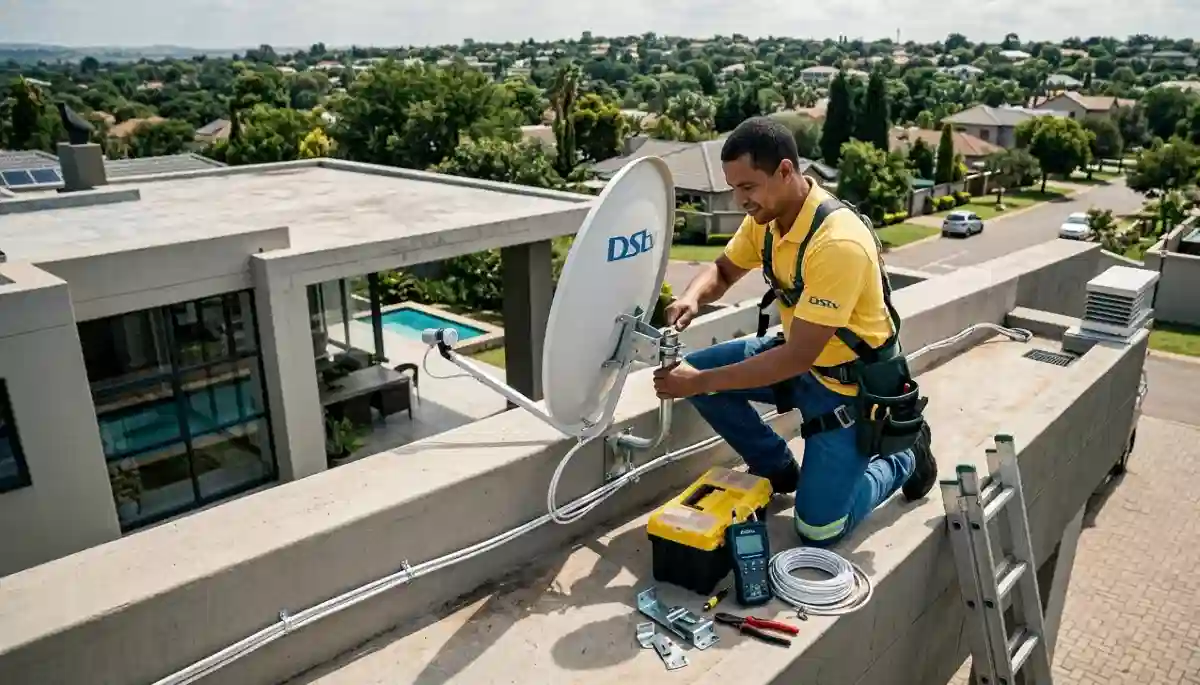
Professional satellite dish installation – timing depends on several factors we’ll explain in this guide
How Long Does DStv Installation Take? Complete Timing Guide
You’ve booked your DStv installation, but now you’re wondering: how long will this take? Will technicians be here for an hour or the whole day? Do you need to take time off work? What about multi-room setups – are we talking days?
At DSTV Installers Centurion, we’ve completed over 15,000 installations across Centurion, Pretoria East, and surrounding areas in 17+ years. We know exactly how long different installations take – and more importantly, what causes delays. This comprehensive guide will give you accurate timeframes for every type of installation, so you can plan your day with confidence.
⏱️ Quick Installation Timeframes
✅ Standard Installations:
- Single TV (existing dish): 45-60 minutes
- Single TV (new dish): 90-120 minutes
- HD decoder swap: 30-45 minutes
- Dish realignment: 30-60 minutes
✅ Multi-Room Setups:
- Extra View (2 rooms): 2-3 hours
- Extra View (3 rooms): 3-4 hours
- Extra View (4 rooms): 4-6 hours
- Commercial systems: 4-8+ hours
👉 Need exact timing for your home? Contact us to schedule your installation for a personalized estimate.
Factors That Affect DStv Installation Time
Before diving into specific timeframes, it’s important to understand what influences how long your installation will take. These factors can add 30 minutes to several hours to your installation.
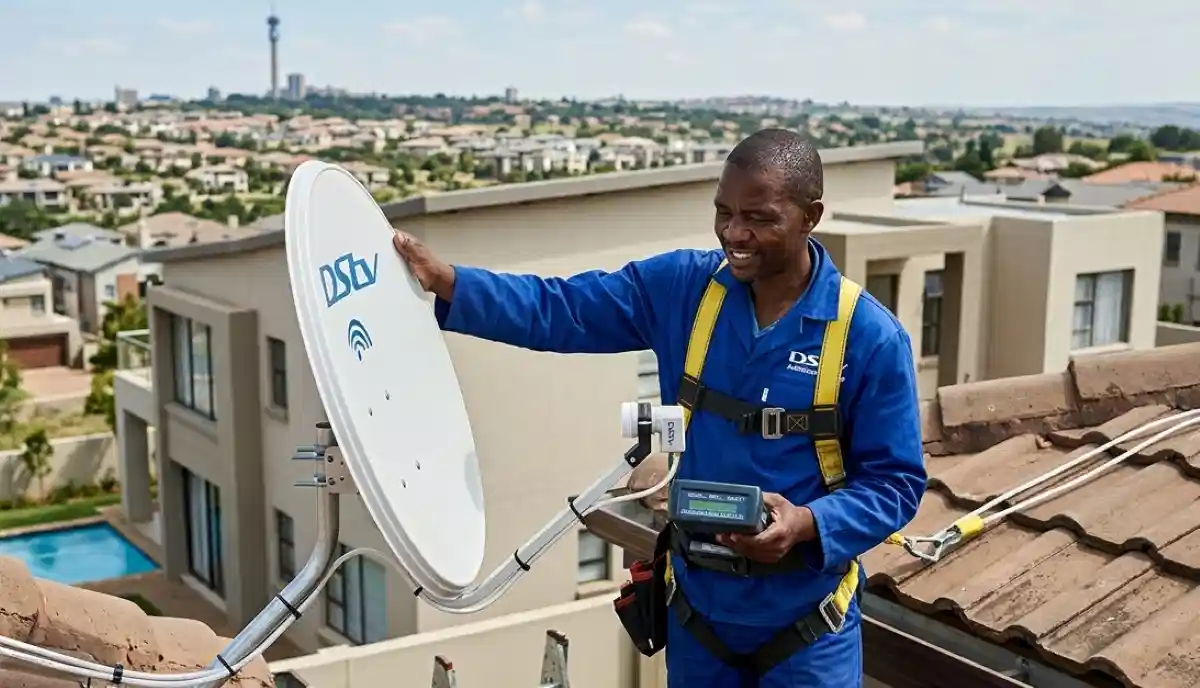
Precision dish alignment takes time – rushing leads to poor signal
1. Property Type and Access
- Single-storey house with easy roof access: Fastest installations
- Two-storey or multi-level home: Adds 20-40 minutes for safe ladder setup
- Complex/estate with security protocols: Add 15-30 minutes for access procedures
- Heritage properties (like parts of Irene): May need special mounting, add 30-60 minutes
- Thatched roofs or unusual materials: Requires special techniques, add 30-60 minutes
2. Existing Infrastructure
- Existing dish and cabling in good condition: 30-60 minutes faster
- Need for cable upgrades for smooth installation: Add 30-90 minutes
- Old or damaged LNB replacement: Add 20-30 minutes
- No existing dish: Full installation time applies
3. Installation Complexity
- Number of TVs: Each additional TV adds 30-60 minutes
- Wall fishing (running cables inside walls): Add 30-90 minutes per wall
- Long cable runs (over 15m): Add 15-30 minutes per 10m
- Concrete walls: Add 15-30 minutes per penetration
- Multiple stories: Add 20-60 minutes for cable routing
4. Decoder Type and Configuration
- Basic HD decoder: 15-30 minutes configuration
- Explora/Explora Ultra: 30-90 minutes (WiFi setup, software updates)
- Extra View setup across multiple rooms: 45-75 minutes for configuration alone
- Heartbeat cable configuration: Add 15-30 minutes
5. Unexpected Issues
- Tree growth blocking signal: May need relocation, add 30-60 minutes
- Rotted mounting surface: Needs repair before installation, add 30-60 minutes
- Interference problems: Additional troubleshooting, add 15-30 minutes
- Software/firmware issues: Updates can take 18-36 minutes
Proper preparation can prevent many delays. See our prepare your home before our technicians arrive guide for a complete checklist.
Standard Installation Times by Type
Here are detailed timeframes for common installation scenarios, based on thousands of actual installations by trusted local installers.
Single TV Installations
| Installation Type | Typical Time | What’s Included | Key Factors |
|---|---|---|---|
| New dish + HD decoder | 90-120 minutes | Dish mounting, cable routing (up to 15m), LNB installation, decoder setup, channel scan | Roof access, wall type, cable path |
| New dish + Explora decoder | 105-135 minutes | Same as above + WiFi configuration, software updates, streaming app setup | WiFi signal strength, update speed |
| New dish + Explora Ultra | 120-150 minutes | Same as above + 4K calibration, advanced features setup | TV compatibility, internet speed |
| Existing dish + new decoder | 45-75 minutes | Connection, configuration, channel scan | Existing cable quality, signal check |
| Decoder swap (same location) | 30-45 minutes | Unplug old, connect new, activate, channel scan | Subscription active, remote programming |
| Dish realignment only | 30-60 minutes | Signal meter setup, dish adjustment, signal verification | Access difficulty, tree growth |
Multi-Room Installations
For adding extra TV points quickly, these are the timeframes you can expect:
| Setup Type | Typical Time | What’s Included | Complexity Factors |
|---|---|---|---|
| Extra View (2 rooms) | 2-3 hours | LNB upgrade (if needed), cable runs to 2 locations, wall plates, decoder setup, heartbeat configuration | Distance between rooms, wall type, existing cables |
| Extra View (3 rooms) | 3-4 hours | Same as above + additional cabling, frequency configuration | House layout, access to ceiling space |
| Extra View (4 rooms) | 4-6 hours | May require multiswitch, professional distribution | Signal distribution complexity |
| Mixed decoders (HD + Explora) | Add 30-45 minutes | Additional configuration for compatibility | Decoder types, firmware versions |
| Adding to existing Extra View | 1-2 hours per room | New cable run, decoder connection, reconfiguration | Existing system age, access |
For detailed guidance on multi-room setups, see our multi-room setup tips and Ultra decoder multi-room setup guides.
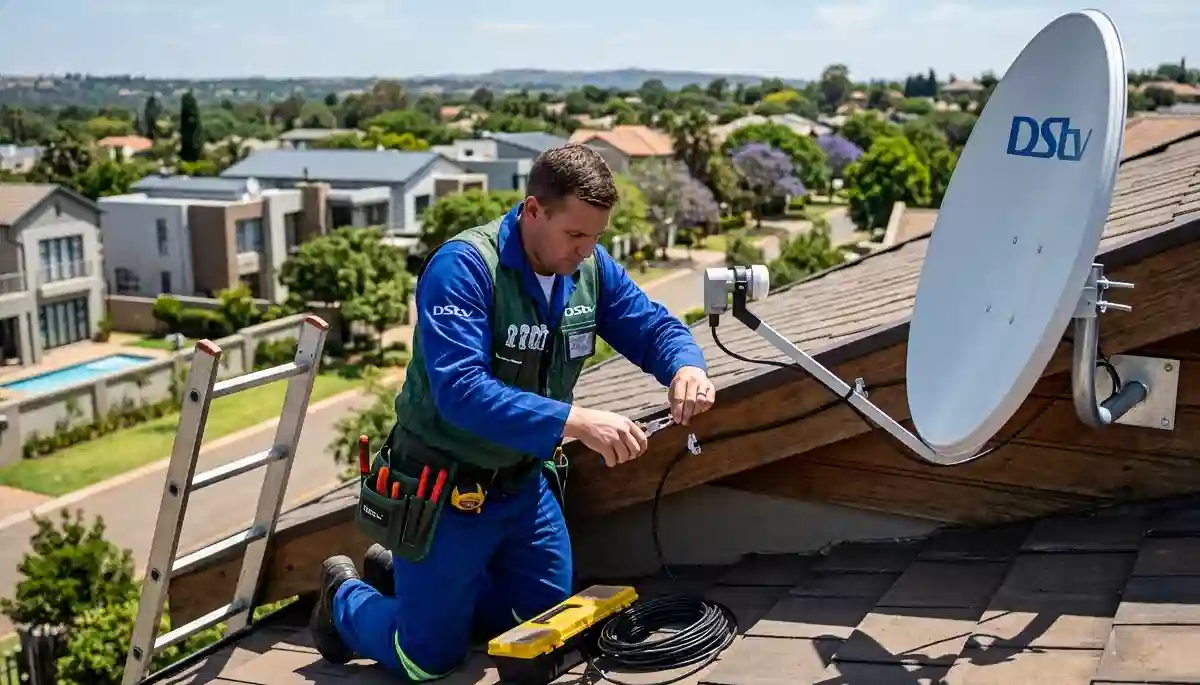
Proper cable routing takes time but ensures long-term reliability
Complex Installation Scenarios
Some installations require additional time due to unique circumstances. Here’s what to expect for special cases.
Commercial and Communal Installations
- Small business/restaurant: 3-5 hours (multiple TVs, commercial-grade equipment)
- Guest house (4-6 rooms): 5-8 hours (may require multiswitch, distribution system)
- Apartment block complex or apartment DStv installations: 6-10+ hours over multiple days (communal dish, individual connections)
- Hotel/lodge: Custom quote – can take several days
Difficult Property Types
- Thatched roof properties: Add 60-90 minutes (special mounting techniques)
- Heritage-listed homes: Add 60-120 minutes (non-invasive mounting, approvals)
- Multi-story homes with difficult access: Add 30-60 minutes (scaffolding may be needed)
- Properties with extensive landscaping: Add 30-60 minutes (protecting gardens, long cable runs)
Upgrades and Modifications
- Upgrading from HD to Explora: 60-90 minutes (new configuration, feature setup)
- Adding HD decoder installation for faster setup: 45-60 minutes per decoder
- Replacing old cabling: 30-60 minutes per cable run
- Relocating dish: 90-120 minutes (new mounting, realignment)
Installation Timeline Breakdown: What Happens When
To help you understand where the time goes, here’s a typical 2-hour single-TV installation broken down:
| Time Segment | Activity | Duration |
|---|---|---|
| First 15 minutes | Site assessment, discuss placement, identify best dish location, check access | 15 min |
| Next 45 minutes | Dish assembly, mounting, preliminary alignment, LNB installation | 45 min |
| Next 30 minutes | Cable routing from dish to decoder location, securing cables | 30 min |
| Next 20 minutes | Precise dish alignment using signal meter (critical for quality) | 20 min |
| Next 15 minutes | Decoder connection, initial power-up, software load | 15 min |
| Next 15 minutes | Channel scan, signal verification, test all channels | 15 min |
| Final 10 minutes | Client demonstration, answer questions, remote setup, clean up | 10 min |
As you can see, the dish installation and alignment take the majority of time – rushing this leads to poor signal later.

Professional cable installation ensures reliable signal for years
How to Speed Up Your Installation
Based on 17+ years of experience, here are proven ways to reduce installation time by 30-60 minutes:
Before Installation Day
- Clear the work area: Remove furniture, obstacles near TV and proposed dish location
- Ensure easy access: Unlock gates, provide access codes, secure pets
- Check existing cables: If reusing, let us know condition beforehand
- Have your decoder ready: Unbox and have it near the TV
- Know your WiFi password: For Explora/Ultra setups
During Installation
- Be available for decisions: Dish placement, cable routing choices
- Have questions ready: Prepare a list so we can answer efficiently
- Stay nearby but not in the way: Available for questions but not hovering
Our prepare your home before our technicians arrive guide has a complete checklist.
Delays That Can Extend Installation Time
These common issues can add significant time to your installation. Being aware helps you avoid them:
Preventable Delays
- No clear dish placement: Trees, buildings blocking signal – may need relocation
- Locked access: No gate remote, locked roof doors – adds 30-60 minutes waiting
- Unavailable decisions: Can’t decide where to put dish/cables – pauses installation
- Missing equipment: Decoder not ready, no smartcard – cannot complete
- No power near TV: Need extension cords, electrician – significant delay
Technical Delays
- Software issues: Decoder updates slow, failed downloads – add 15-45 minutes
- Signal problems: Unexpected interference, weak signal – need troubleshooting
- Compatibility issues: Older equipment not working with new – need replacements
- Weather delays: Heavy rain, extreme heat – safety first
See our guide on avoid common installation delays for more troubleshooting tips.
Location-Specific Timing Considerations
Different areas have unique factors that can affect installation time:
Centurion installations with accurate timing
- Midstream: Estate access procedures add 15-30 minutes – our team is familiar
- Irene: Heritage considerations may add 30-60 minutes for careful installation
- Highveld: Generally straightforward, good access
- The Reeds: Complex access in some sections, allow extra 15-30 minutes
Pretoria East professional installations
- Silver Lakes: Estate protocols add 15-30 minutes
- Garsfontein: Mature gardens may need careful dish placement
- Faerie Glen: Similar considerations, experienced technicians
Midstream DStv setup efficiency
Midstream’s well-planned estates actually make installations faster once access is gained – typically 15-30 minutes less than average due to good infrastructure.
Real Installation Time Examples
Here are actual installation times from our records:
Case 1: Simple Single TV
Location: Highveld, Centurion
Setup: New dish + HD decoder, single storey, easy roof access
Time: 1 hour 45 minutes
Notes: Homeowner had cleared area, cables ran through ceiling space
Case 2: Extra View 3 Rooms
Location: Midstream Ridge
Setup: Quad LNB, 3 decoders (Explora + 2 HD), wall fishing in one room
Time: 4 hours 15 minutes
Notes: Estate access added 20 minutes, complex cable routing
Case 3: Explora Ultra Upgrade
Location: Silver Lakes
Setup: Existing dish, new Explora Ultra, WiFi setup, 4K TV calibration
Time: 2 hours
Notes: Strong WiFi, easy access, homeowner prepared
Case 4: Commercial Restaurant
Location: Centurion CBD
Setup: 6 TVs, communal dish, distribution system
Time: 7 hours over 2 days
Notes: Worked after hours to avoid business disruption
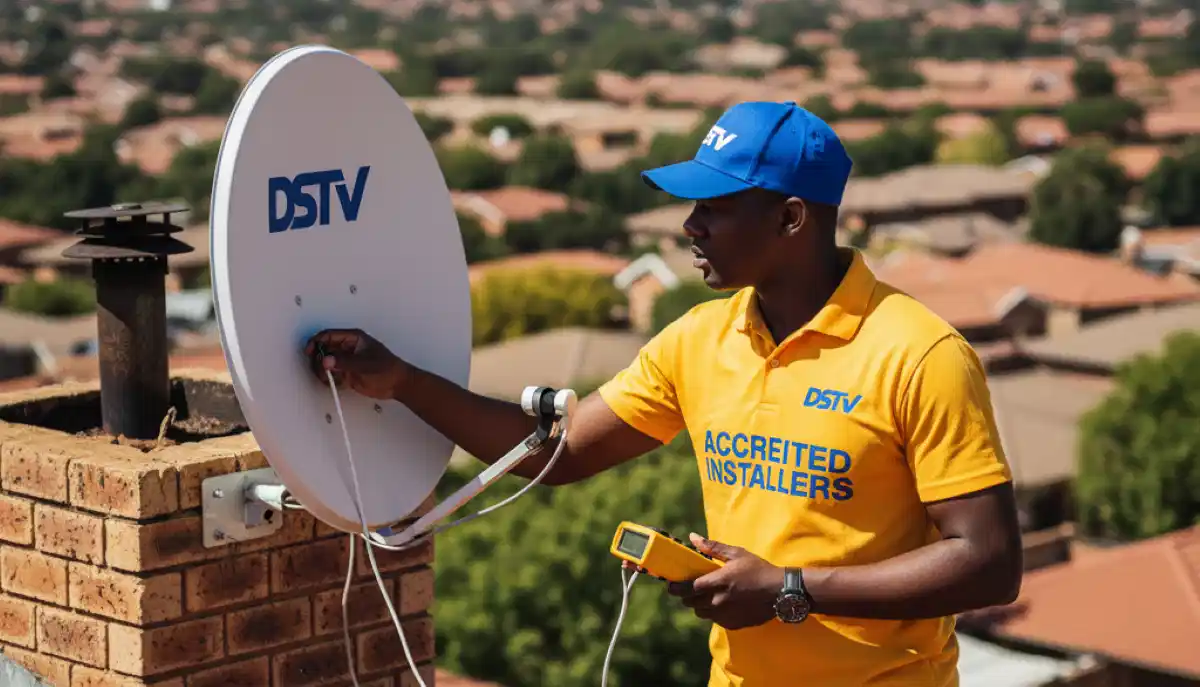
Professional signal testing ensures perfect reception before we leave
Installation Timing by Decoder Type
Different decoders require different setup times:
| Decoder Type | Setup Time | Additional Steps |
|---|---|---|
| HD Decoder (basic) | 15-20 minutes | Channel scan, remote programming |
| HD PVR | 20-30 minutes | Hard drive check, recording setup |
| Explora | 30-40 minutes | WiFi connection, software updates, Showmax setup |
| Explora Ultra | 40-50 minutes | 4K calibration, HDR settings, streaming apps |
| Multiple decoders | Add 15-20 min each | Extra View configuration, heartbeat setup |
For detailed information on specific decoders, see our Explora decoder installation and timing and HD decoder installation for faster setup guides.
Planning Your Installation Day
Here’s how to plan your day based on installation type:
Morning Installations (8:00 AM – 12:00 PM)
Best for most installations. Technicians are fresh, have full day ahead if issues arise. Ideal for multi-room setups.
Afternoon Installations (12:00 PM – 5:00 PM)
Good for single-TV jobs or quick upgrades. Ensure you have 3-4 hours available in case of unexpected issues.
Saturday Installations
Available for most areas – popular for families. Same timeframes apply. Book 1-2 weeks in advance.
Emergency/After-Hours
For urgent signal repairs, we offer 45-minute response. Installation time depends on issue – typically 30-90 minutes.
What About DStv Internet and Streaming?
If you’re also setting up WiFi support for streaming DStv Now, factor in additional time:
- Router setup: 30-45 minutes
- WiFi optimization: 15-30 minutes
- Multiple device connections: 10-20 minutes
- Mesh system installation: 60-90 minutes
We can combine this with your DStv installation – just let us know when booking.
Integrating with Other Home Systems
If you’re planning a complete home technology setup, consider:
- integrating DStv setup with home tech – coordinate installations for efficiency
- keeping equipment cool during installation – ensure proper ventilation from the start
- TV mounting for ready-to-watch setup – do this before or during DStv installation
Bundling services can save time and money. Ask about our multi-service discounts.
Frequently Asked Questions
A standard installation with a new dish typically takes 90-120 minutes. If you have an existing dish and just need a decoder swap, it’s 30-45 minutes. Contact us to schedule your installation for a precise estimate.
Extra View requires: LNB upgrade (often), multiple cable runs to each room, wall plate installation at each location, and complex heartbeat configuration to ensure all decoders communicate correctly. Each additional room adds 45-60 minutes to the installation.
Absolutely! Prepared homes install 30-45 minutes faster. Clear access to the dish location, have your decoder ready, know your WiFi password, and make decisions about placement beforehand. Our prepare your home before our technicians arrive guide has all the details.
We always communicate if unexpected issues arise. We never cut corners to meet a time estimate – quality and reliability are more important. You’ll be informed of any delays and options before proceeding.
Dish realignment typically takes 30-60 minutes, depending on accessibility. We use professional signal meters to find the perfect alignment, ensuring optimal reception.
Yes! For standard installations in most Centurion and Pretoria East areas, we offer same-day service for calls before 2 PM. Emergency signal repairs have 45-minute response.
Commercial installations vary widely – from 3-5 hours for a small restaurant to multiple days for hotels. We provide detailed quotes and timelines during consultation.
Based on our experience, the top delays are: blocked dish placement (trees/buildings), locked access (no gate remote), unavailable decisions, and missing equipment. All easily preventable with proper preparation!
Our Promise: Quality Over Speed
While we strive for efficient installations, we never compromise on quality. A rushed installation leads to:
- Poor signal quality and pixelation
- Loose connections that fail over time
- Improper weather sealing causing water damage
- Incorrect decoder configuration
- Frustrating callbacks for fixes
Our 12-month warranty backs our work. If anything isn’t perfect, we return at no cost – something cheap, rushed installations never offer.
Ready for Your DStv Installation?
Now that you know how long it takes, let’s get your installation scheduled. Our team serves all Centurion and Pretoria East suburbs with efficient, quality work.
R250 call-out fee (credited to installation) | 12-month warranty | Same-day service available
Part of the ServiceLink SA trusted technician network – verified, insured, and guaranteed.